How to Get Battlefield 6 Early Access with Twitch Drops
Secure Battlefield 6 early access with Twitch Drops: link EA and Twitch, watch 60 minutes on participating streams, then claim the drop or use BF Labs.
TL;DR
- Link your EA account to Twitch, verify emails, and have your target platform connected before drops go live.
- Watch any participating streamer for 60 minutes during the early access window to earn the Battlefield 6 drop.
- Claim the drop via Twitch's Drops & Rewards and check your connected platform for the beta notice.
- You can also get early access through BF Labs, pre-orders, or platform-specific bonuses — don’t sleep on those.
What You Need to Know First
Quick checklist and the essentials before you camp a stream like it owes you money.
Requirements
| Item | Effect | Where to Get |
|---|---|---|
| Linked EA account to Twitch | Enables Drop redemption | Twitch Connections -> Connect EA |
| Verified email on Twitch and EA | Prevents redemption issues | Account settings on each platform |
| Connected platform (PC/Xbox/PlayStation) | Drop delivers beta access to your platform | Platform account settings |
| 60 minutes watch time | Earns the Battlefield 6 early access drop | Any participating Twitch channel |
| BF Labs registration | Alternative early access route | BF Labs signup page |
| Pre-order or EA Play | Possible alternative access or bonuses | Retailers / EA Play subscription |
Schedule snapshot
| Item | Effect | Where to Get |
|---|---|---|
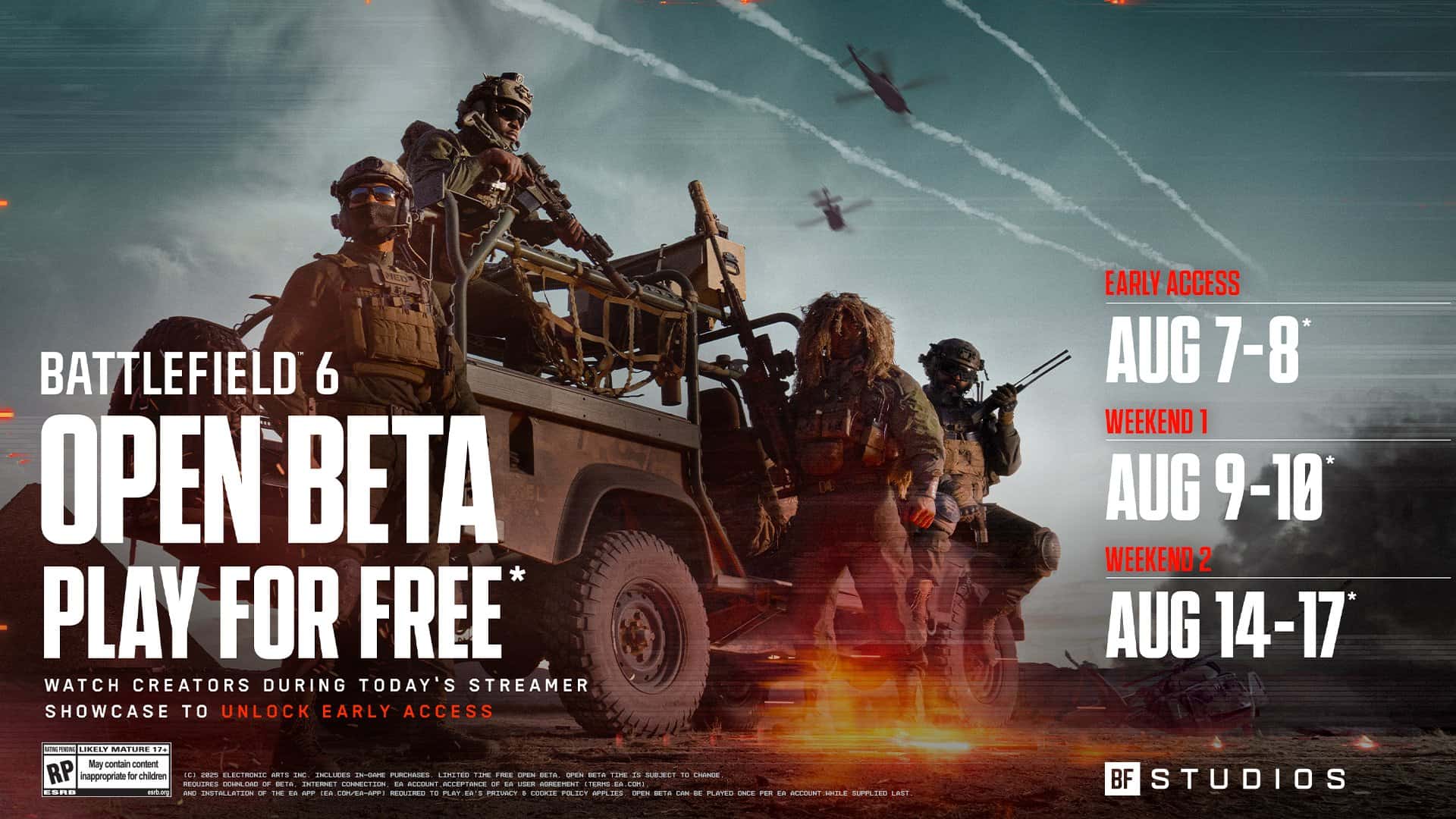
| Early Access Period | August 7 - August 8, 48-hour early play window | Twitch Drops or BF Labs |
| Open Beta | August 9-10 (and extended Aug 14-17) | Available to all players |
Why this matters: that 60-minute rule is literal — not an RNG lottery. Watch enough and you get the drop. Miss the window and you wait until August 9, which is exactly how others will get the jump on you.
Step-by-Step Guide
Follow these steps like youre following a recipe for not being that guy who forgets to link accounts.
-
Link accounts and verify
- Go to Twitch > Settings > Connections and link your EA account. Verify email on both Twitch and EA. If you skip verification, claims can get weird.
-
Test the setup
- Check an active Drops campaign on Twitch to confirm the panel counts watch time. Do this at least a day before August 7.
-
Pick participating streamers
- Any streamer marked as participating works. You do not need to interact in chat; the stream just needs to be running while youre watching for 60 minutes.
-
Watch 60 minutes
- One continuous or cumulative 60 minutes during the early access window qualifies you for the Battlefield 6 drop. Keep the tab focused or the Twitch app running.
-
Claim your drop
- After your timer hits 60 minutes, click your Twitch profile > Drops & Rewards > locate the Battlefield 6 reward and click Claim. If it doesnt appear, wait a few minutes and refresh.
-
Check your platform
- Once claimed, the reward should show as beta access on your connected platform (PC, Xbox, PlayStation). If it doesnt, double-check that the EA account linked to Twitch is the same account used on your platform.
-
Alternative routes
- If you signed up for BF Labs previously, you should get automatic early access. Pre-orders, EA Play, or platform partnerships may also grant access depending on retailer and region.
-
Use the early window wisely
- The early access period is 48 hours. Prioritize learning one or two maps and testing a couple loadouts instead of mashing into every mode like you just found the Holy Grail.
Useful tables
Platform connection checklist
| Item | Effect | Where to Get |
|---|---|---|
| EA account linked to platform | Ensures reward lands on right account | EA Account Settings |
| Same EA account on Twitch and platform | Prevents lost drops | Confirm account emails and IDs |
BF Labs and bonus sources
| Item | Effect | Where to Get |
|---|---|---|
| BF Labs registration | Automatic early access for testers | BF Labs signup page |
| Pre-order / EA Play / Platform promos | Possible early access or extras | Retailers / EA / Platform stores |
Troubleshooting quick hits
- Claimed drop but no access: confirm account linkage and wait 10-15 minutes; server pushes can lag.
- Timer not progressing: try a different participating channel or use the Twitch desktop app.
If you still get stuck, account support is the usual end-of-the-line. Be polite; customer support remembers souls who rage.
Pro Tips
- Watch during streamer premieres or scheduled events — fewer channel changes means less chance of breaking your 60-minute count.
- Use the Twitch desktop app rather than the browser if you run ad blockers; some blockers interfere with Drops tracking.
- If you have multiple platforms, decide which one gets the beta before claiming to avoid account mismatch headaches.
- Queue up a low-effort stream overnight if you cant be at your PC; Twitch counts watch time as long as the stream stays active.
- Join BF Labs if you want a cleaner route — it avoids the watch-time grind and gives you a testing channel into EA.
Common Mistakes to Avoid
- Not verifying email addresses on Twitch and EA, which blocks drop redemption.
- Watching non-participating channels or VODs that dont count toward the 60-minute requirement.
- Linking the wrong EA account to Twitch and claiming the drop on an account you dont use.
- Relying on a single short stream and forgetting that the watch time can be interrupted by channel changes or connectivity hiccups.